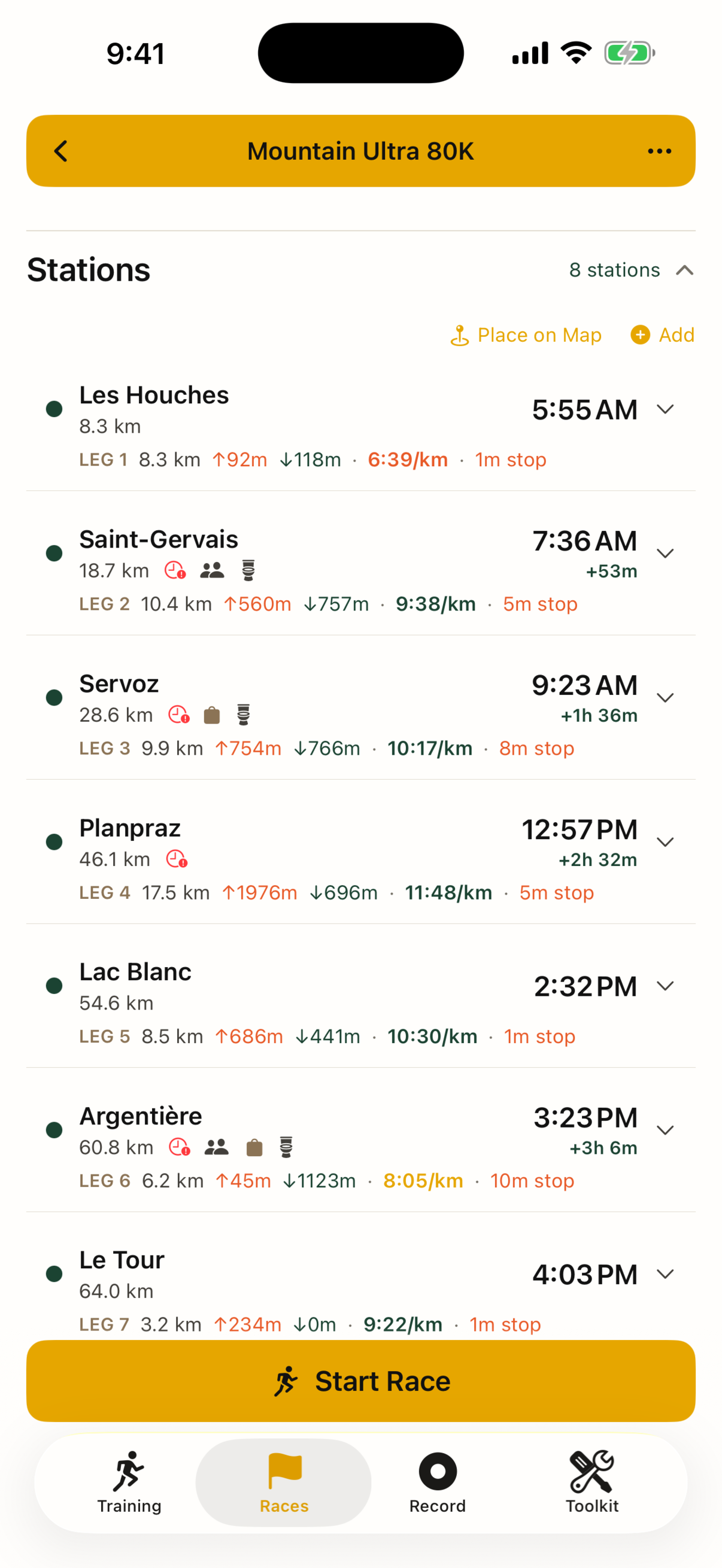
Every aid station, ETA and cutoff on one page.
Import the course GPX, set one goal time, and Pocket Crew turns it into a plan you can run — then shows you only what's next on race day. Works with no signal.
Built for the distance
Plan
GPX in, plan out. Trail-aware pacing adjusts every leg for grade, altitude, fatigue, night and heat. Cutoffs are clock times, with your buffer at each station.
Fuel
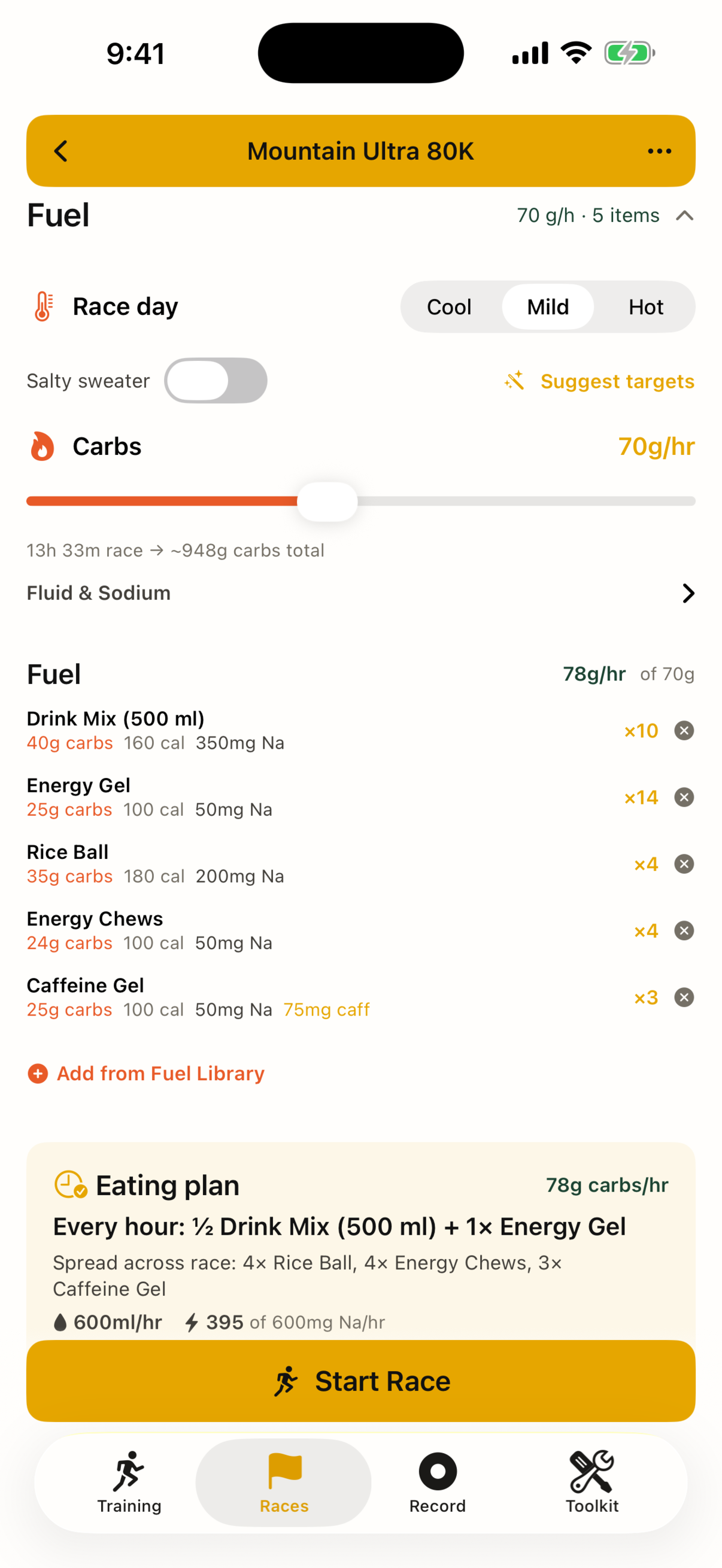
Hourly carb, fluid and sodium targets become a simple eating plan from a library of food you've actually tested in training.
Race day
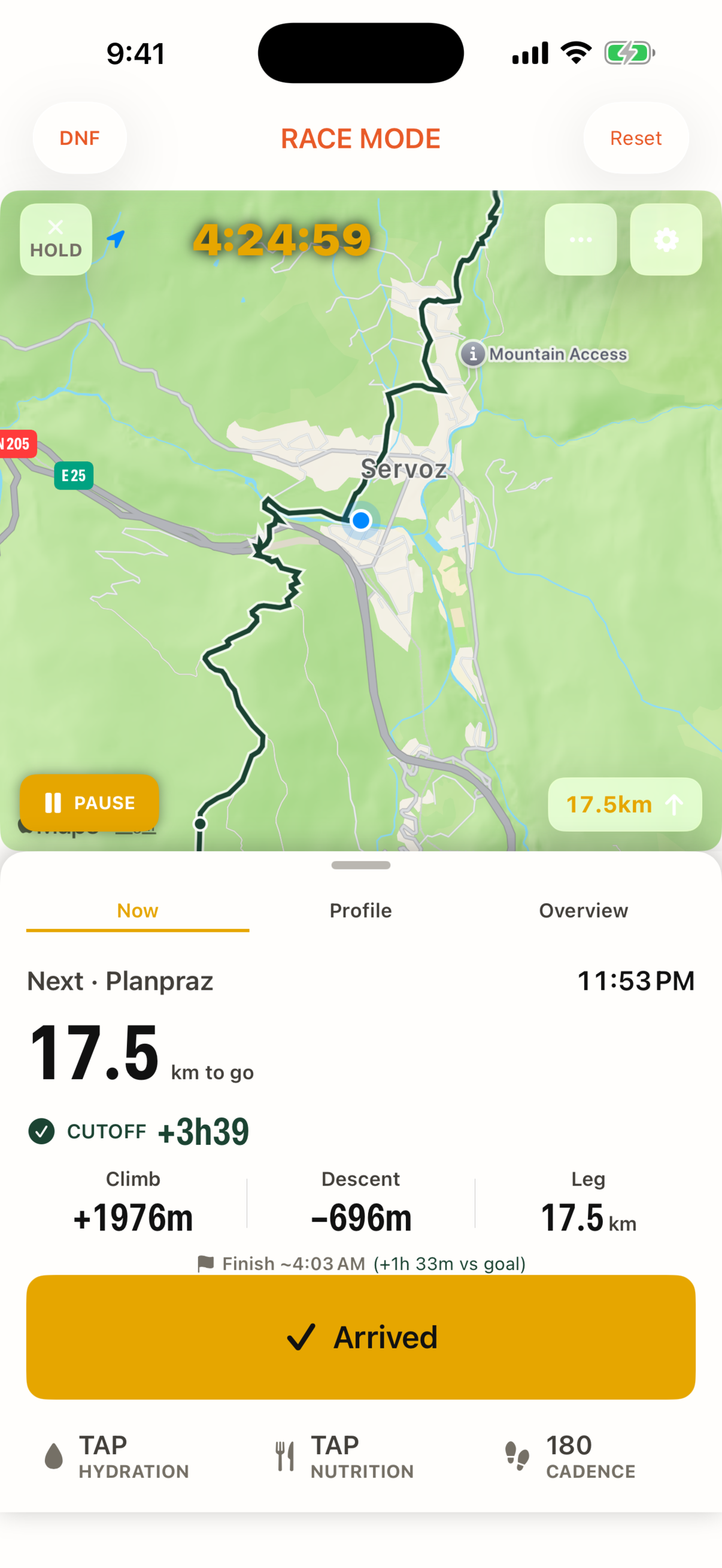
Map-first live screen, one-tap arrive / leave, station timer, GPS auto-arrival, voice guidance, and a Live Activity on the lock screen.
Train
Plan long runs with checkpoints and stash points, or press Record and go. Splits, elevation, heart rate, best efforts, a two-minute debrief.
Review
Planned vs actual, time spent at aid stations, finish vs goal. Export a paced GPX for your watch or a pace card for your crew.
Offline & private
Everything works with no signal. No account, no tracking. Your data stays on your phone, or in your own iCloud if you turn it on. Every feature is free; an optional one-time Buy Me a Gel supports the developer.
Screens
How to plan cutoffs for your first 100K
Most cutoff DNFs are not fitness problems. They are arithmetic problems at 3 a.m. Here is the method Pocket Crew automates, in case you want to do it on paper first.
- Get the real numbers. From the race roadbook: distance and cumulative climb to every aid station, and the cutoff at each one as a clock time. Cutoffs are set by the organiser and do not move if you start late.
- Decide one goal time, not a pace. Ultra pace is meaningless as a single figure; a goal finish is what you can hold in your head. Everything else is derived.
- Distribute that time by effort, not distance. A 10 km leg with 800 m of climb takes roughly twice as long as a flat one. Use grade-adjusted pacing (Minetti / ultraPacer style) or, on paper, add one minute per 10 m of climb to your flat pace.
- Add stop time and a fatigue slope. Five minutes per aid station is realistic if you are organised; twelve if you are not. Expect the second half to run 10–15 % slower than the first.
- Now compare every ETA to its cutoff. The buffer that matters is the smallest one, usually two-thirds of the way in. If it is under 30 minutes, your goal time is a wish.
- On race day, only look at the next station. Its ETA, its cutoff, and what you need to eat before it. The rest is noise until you get there.
Privacy
Pocket Crew collects no data. There is no account, no analytics SDK and no server of ours. Race plans, training runs, fuel and gear libraries live in files on your iPhone. If you enable iCloud sync, they are copied to your own iCloud Drive and nowhere else. Location is used only while you are tracking a run, and only on the device. If you allow Apple Health, Pocket Crew saves your runs and races there (workout, distance, energy and route) and reads your heart rate during a run; it never sends Health data anywhere. When you draw a course in the Route Builder, the points you place are sent to the public BRouter routing service and to OpenTopoData for elevation, with no name or account attached. The optional Buy Me a Gel purchase is handled entirely by Apple; we never receive your name, Apple Account or payment details.
Questions: gentlepace.app@gmail.com